

Appearance
Create an API client in Viskan Backoffice
API clients are created directly in Viskan Backoffice. A client is a set of credentials — a Client Id and a Client Secret — bound to your tenant and granted a specific set of scopes. You then use those credentials with the client_credentials grant to call the Viskan API (see Authentication).
Creating and managing API clients requires the administrator role in Backoffice.
Create the client
In Viskan Backoffice, open Developers → API clients.
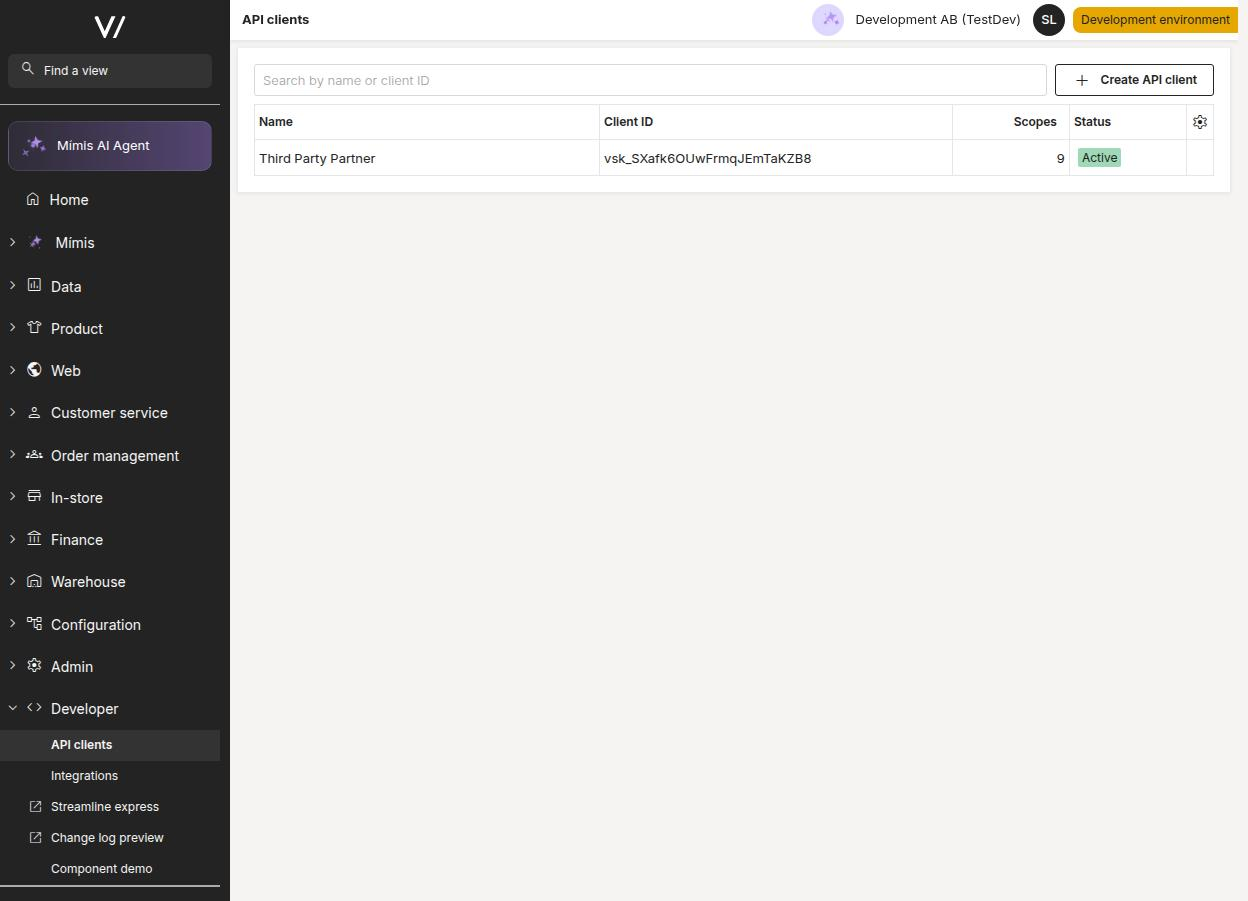
Click Create API client and give the client a descriptive name so you can recognise what the integration is for later.
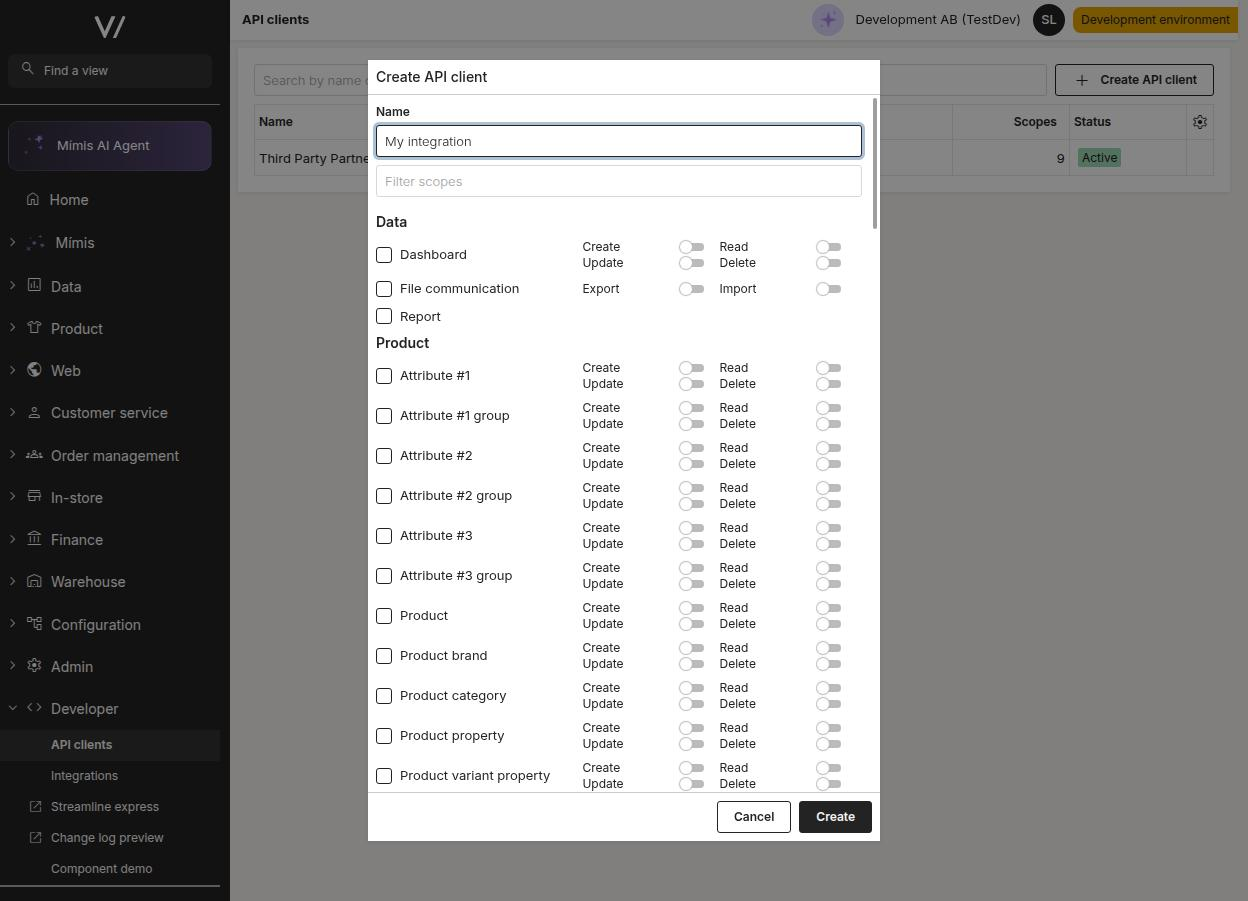
Select the scopes the client needs. Scopes are grouped by area and resource, with a toggle per action; use the filter field to find a resource quickly. Each API method lists the scope it requires in the API reference. Grant only the scopes the integration actually uses.
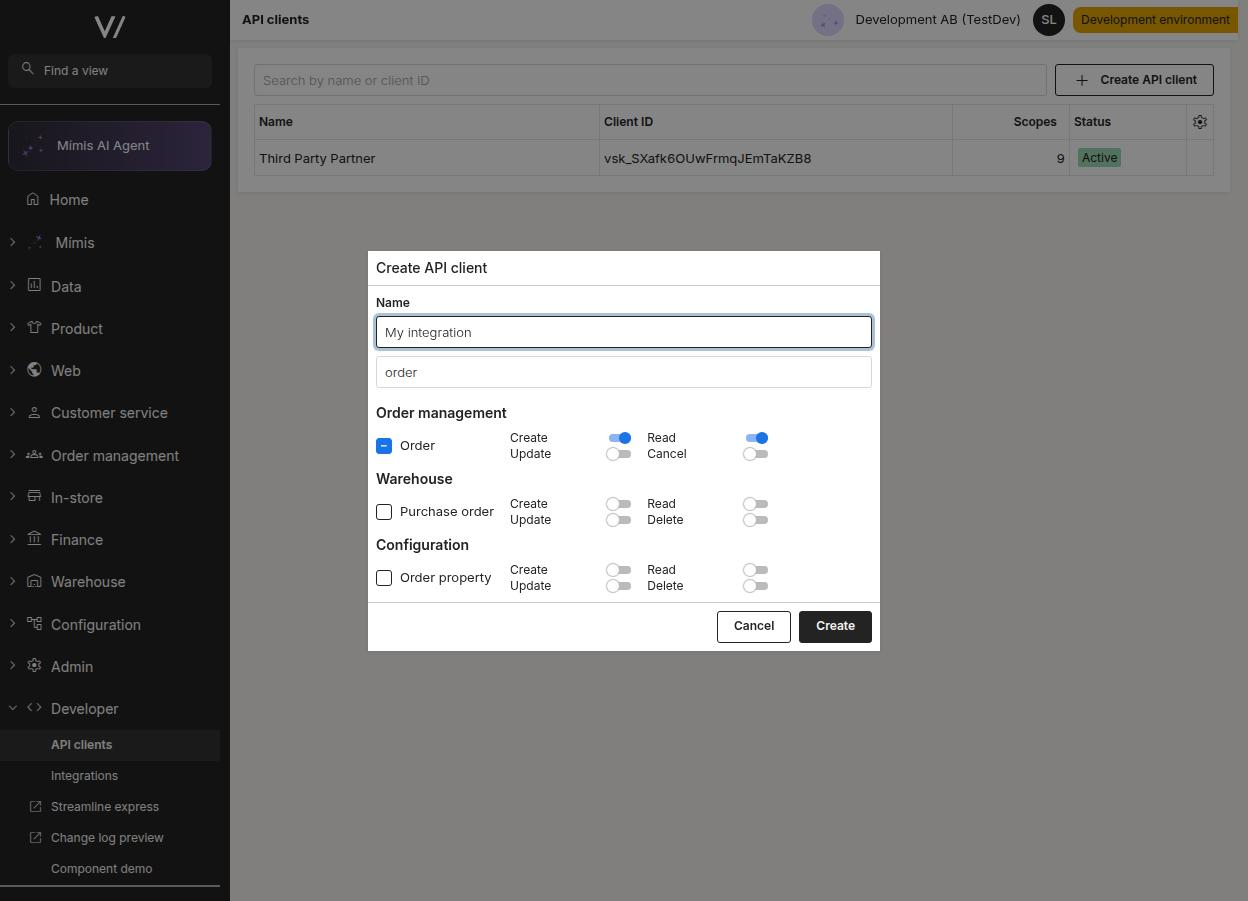
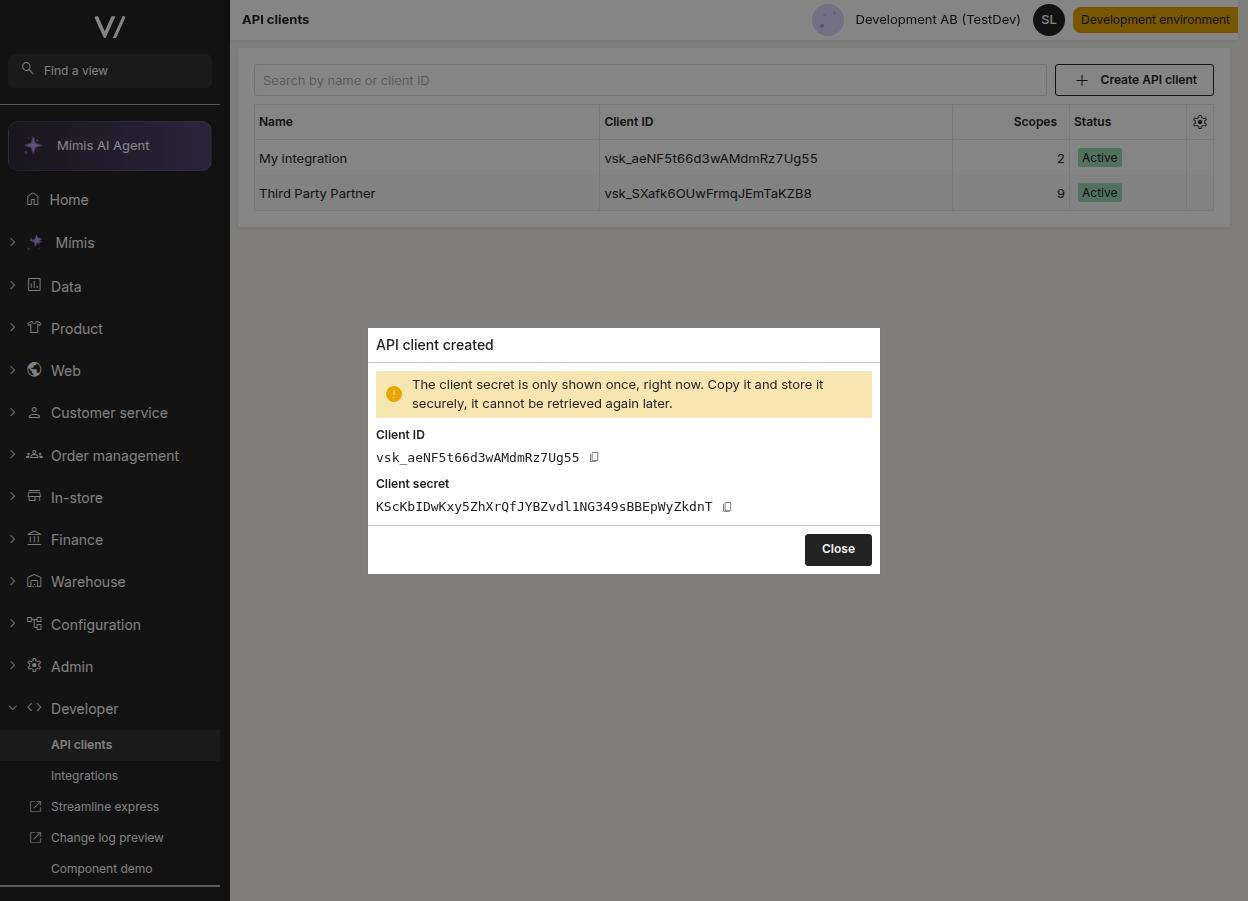
Click Create. The Client Secret is shown once, at creation. When the dialog is closed you can never retrieve the secret again, so store it somewhere secure. If it is lost or leaked, regenerate it (a new secret replaces the old one; the Client Id stays the same).
Manage the client
From the API clients editor you can also:
- Edit a client's name and scopes.
- Regenerate the client secret if it is lost or leaked.
- Disable a client to block authentication without deleting it — the non-destructive response to a leaked secret. Re-enable it when the incident is resolved.
- Delete a client permanently.
For security, API clients cannot be managed with client credentials at all — editing, secret regeneration, disabling, re-enabling and deletion are always done from Backoffice, never with the client's own token or any other client's token.
Next steps
Once you have a Client Id and Client Secret, head to Authentication to request an access token and start calling the API.